Photos
Social media image sizes,all in one place.
The image sizes that fill the screen on Instagram, TikTok, X, LinkedIn, Facebook, YouTube and Pinterest, and what to do when your photo is the wrong shape.
By PostAll3 min read
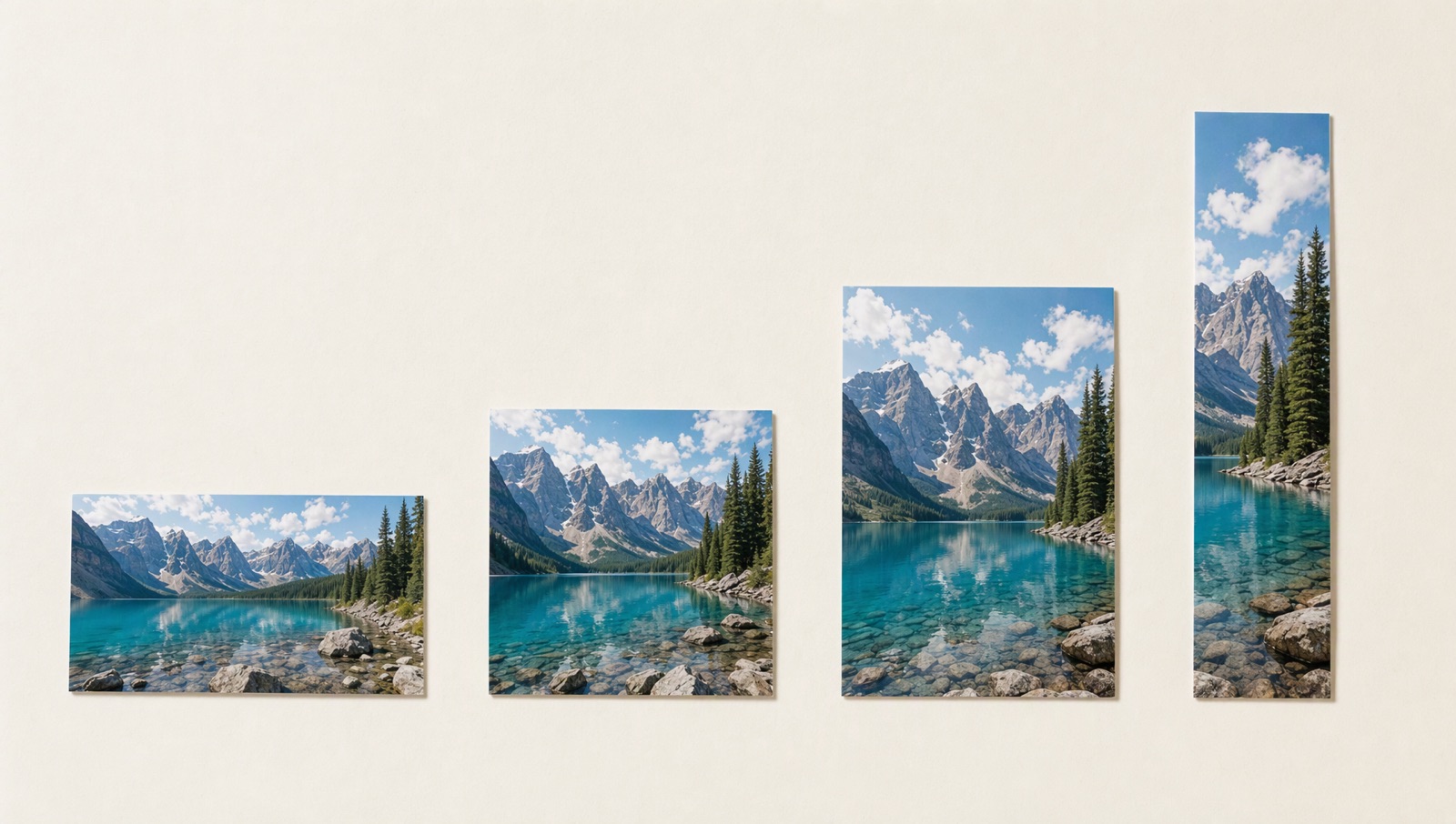
Shape matters more than pixels. Use 4:5 for Instagram posts, 9:16 for anything full-screen, and 16:9 for X and YouTube, at about 1080 pixels on the short side.
Why the size matters
Every network crops a photo that doesn't match its shape. A wide photo on a portrait feed loses its sides; a tall one in a wide preview loses its top and bottom. You don't control what gets cut unless you crop it yourself first.
The shape (the aspect ratio) is what decides the crop. The pixel size just needs to be big enough to look sharp: about 1080 pixels on the short side is the sweet spot for most feeds.
The sizes to use
These fill the space each network gives a post:
| Where | Shape | Size in pixels |
|---|---|---|
| Instagram post (portrait) | 4:5 | 1080 × 1350 |
| Instagram post (square) | 1:1 | 1080 × 1080 |
| Stories, Reels, TikTok, Shorts | 9:16 | 1080 × 1920 |
| X post | 16:9 | 1600 × 900 |
| LinkedIn post | 1.91:1 | 1200 × 627 |
| Facebook link or post image | 1.91:1 | 1200 × 630 |
| YouTube thumbnail | 16:9 | 1280 × 720 |
| Pinterest pin | 2:3 | 1000 × 1500 |
Portrait wins on phones
On Instagram, a 4:5 portrait photo takes up more of the screen than a square one, so it holds attention a little longer as people scroll. If one photo is going everywhere, a portrait version for Instagram and a wide version for X and LinkedIn covers most feeds.
Resize a photo for every network
Fit a photo to Instagram, TikTok, X, LinkedIn, YouTube or Facebook sizes.
Open Resize for socialWhen the photo is the wrong shape
You have three choices, and each suits a different photo:
- Crop to fill: best when the subject sits in the middle with room around it. Slide the crop so the important part stays.
- Blurred edges: keeps the whole photo and fills the empty space with a soft, blurred copy of it. Good for group shots and products you can't cut.
- Plain edges: white or black bars. Clean and simple, and the look many brands use on purpose.